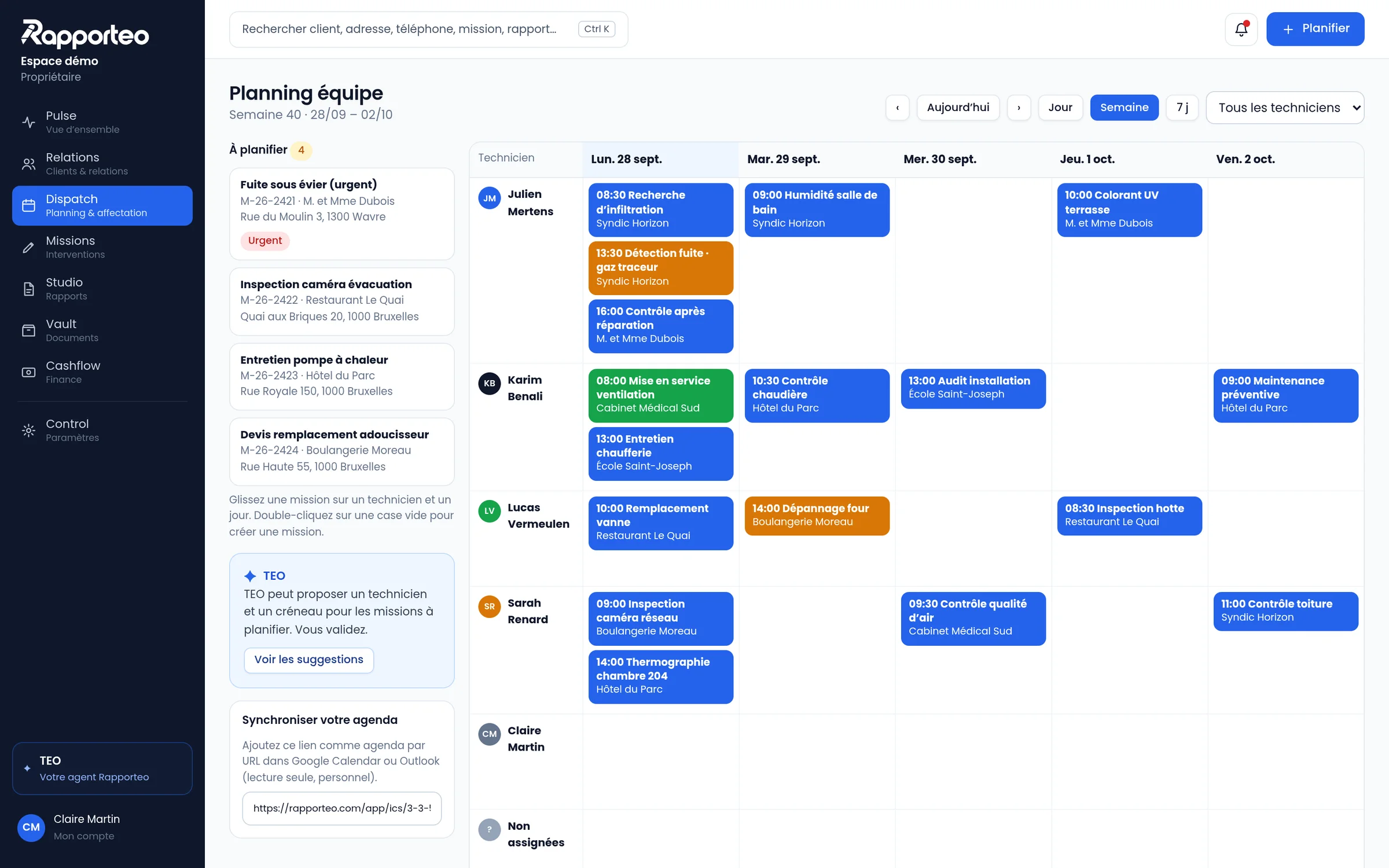

Dispatch · Scheduling & dispatch

The right technician, in the right place at the right time

Dispatch brings the jobs to schedule and the whole team’s calendar together. Drag a job onto a slot, and Rapporteo notifies the technician and the client.

Rapporteo dispatch v2

Scheduling without spreadsheets or back-and-forth

A schedule built for teams on the move, with different skills and areas.

Unscheduled jobs

Every request waiting for a slot, with its urgency, area and required skill.

Team calendar

Day, week or map view, for one or several technicians.

Drag and drop

Move a job, spread it over several days or assign it to two technicians.

Travel and areas

Travel times and service areas are visible before you confirm.

Skills

Tracer gas, camera, thermal imaging, HVAC: every job goes to the right person.

Live statuses

To confirm, scheduled, on the way, on site, done: the office knows where the field stands.

From office to field

A scheduled job is a ready job

As soon as it is placed in Dispatch, the job appears in the technician’s app with everything they need to know before leaving.

What happens when you schedule

1

The slot is booked

For one or several technicians
2

The client gets a confirmation

In their own language
3

The technician receives the job

Access, contact, history, methods
4

Status updates come in live

On the way, on site, done
TEO

TEO can suggest a technician and a slot

Over time, TEO will suggest an assignment. You always decide.

TEO helps you write. The technician remains responsible for the findings.

TEO never invents a measurement, finding, test, photo, cause or diagnosis. It only uses data that is actually there, and the user always validates.

Keep exploring

Missions

Jobs
The whole field visit in one job: access, methods, photos and measurements.

Relations

Clients & relationships
Companies, clients, sites, units, contacts and equipment.

Pulse

Overview
What needs your attention today, without decorative charts.

Let’s see together how Rapporteo fits your business.

A 30-minute demo, with your methods, your report templates and the way you schedule.